Mete VPN for Android: One-tap privacy with minimal setup
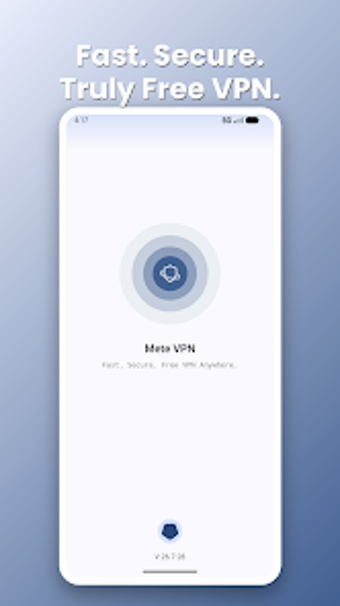
Experience a quick privacy layer on mobile with Mete VPN, developed by OWL Team to provide encrypted browsing and IP masking for Android users. The app establishes an encrypted tunnel to protect traffic and hides device addresses, enabling private use on public hotspots and home networks. It offers one-tap connections, no registration, and a lightweight interface that conserves battery. The developer implements an ad-supported activation step instead of account gates.
What does Mete VPN actually provide for mobile privacy?
The app functions as a minimal VPN client that routes mobile traffic through an encrypted tunnel to hide device addresses and shield sessions on untrusted networks. It operates without account creation, so setup is limited to installation and activation. This design prioritizes quick, session-level privacy boosts rather than offering granular routing, DNS configuration, or per-app rules for advanced network control.
How much does the app affect device resources and data use?
Designed with a lightweight footprint, the app reduces continuous background work to limit battery and mobile-data impact. The developer optimizes the client for current mobile platforms so typical devices handle the tunnel without persistent high CPU or memory use. Users should expect occasional data consumption tied to short advertisements that display when activating or maintaining the secure connection.
Is the connection and privacy model safe to rely on?
Encryption protects traffic on public networks, and the developer states no collection of personal identities or browsing histories, which reduces the attack surface compared with account-tied services. The service, however, uses an ad-supported activation step to run connections. Those requiring audited, independently verified no-logs guarantees will find the app lacks public proofs or advanced privacy attestations.
Do casual users need technical knowledge to operate the app?
The tool targets non-technical users with one-tap connect and a zero-configuration setup that avoids sign-ups and credential management. That lowers the chance of misconfiguration for people who want immediate protection. Nevertheless, power users who need server choice, split tunneling, or protocol selection will find the app limited because it focuses on immediacy rather than exposing advanced networking options.
Practical choice for quick mobile privacy with a clear trade-off
The app suits everyday Android users who need immediate, registration-free encryption and simple setup. The main caveat is reliance on an ad-supported activation step and lack of audited, fine-grained privacy guarantees. For users prioritizing speed of deployment over advanced network controls, the app performs reliably as a lightweight privacy layer. Use it when you need fast protection on public Wi-Fi, but avoid it for threat models that demand verifiable no-logs.